Before you begin
- Resolve any active journey, pending payment or support case you need to keep accessible.
- Keep the records you need before requesting deletion.
Open Profile
Choose Profile from the menu. If you only want to stop using the app on this device for now, Logout is the different, less permanent action.
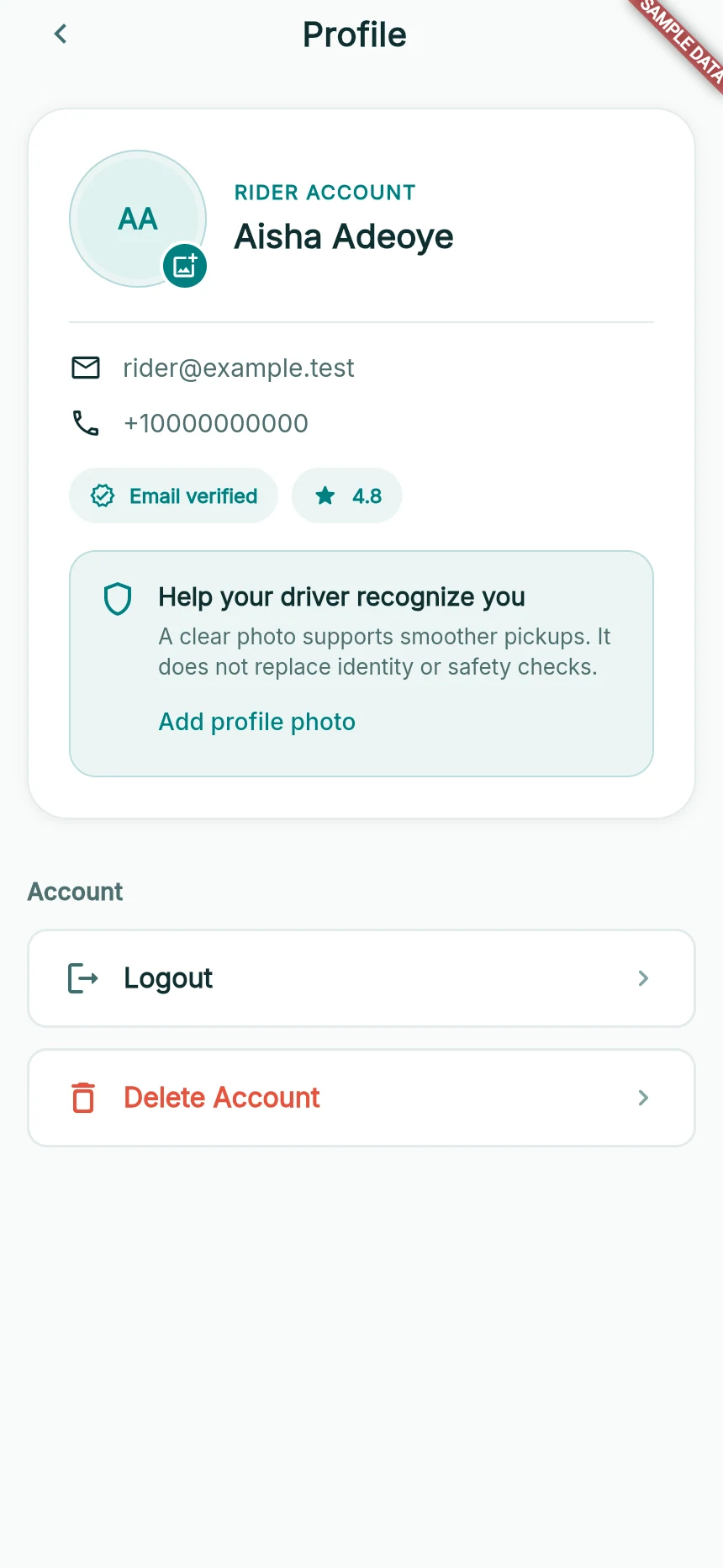
Profile controls in a synthetic rider account.
Web app · sample data · Captured 2026-09-25
- 1The photo control updates your picture.
- 2Logout ends the session; Delete Account requests account deletion.
Choose Delete Account
Tap Delete Account and read the confirmation in full. Continue only if you intend to request deletion of the account, not merely remove the current screen.
Wait for the result
Look for the deletion-request acknowledgement or an error. The message Account deletion requested acknowledges a request; it does not establish that every record has already been removed.
Follow up if necessary
If the request fails or you need clarification about retained records, contact support. The Privacy Policy explains the applicable data handling.
How you know it worked
You receive an acknowledged deletion request or a clear error to follow up, rather than assuming that closing the app deleted the account.
A useful next step
If something goes wrong
I tapped Delete Account by mistake
Cancel the confirmation if you have not submitted it. If you already submitted, contact support promptly; do not assume the request can be reversed.