Open Profile
Use Profile in the app menu. Review your displayed identity. Profile information and driver-verification details are related but are not edited through the same screen.
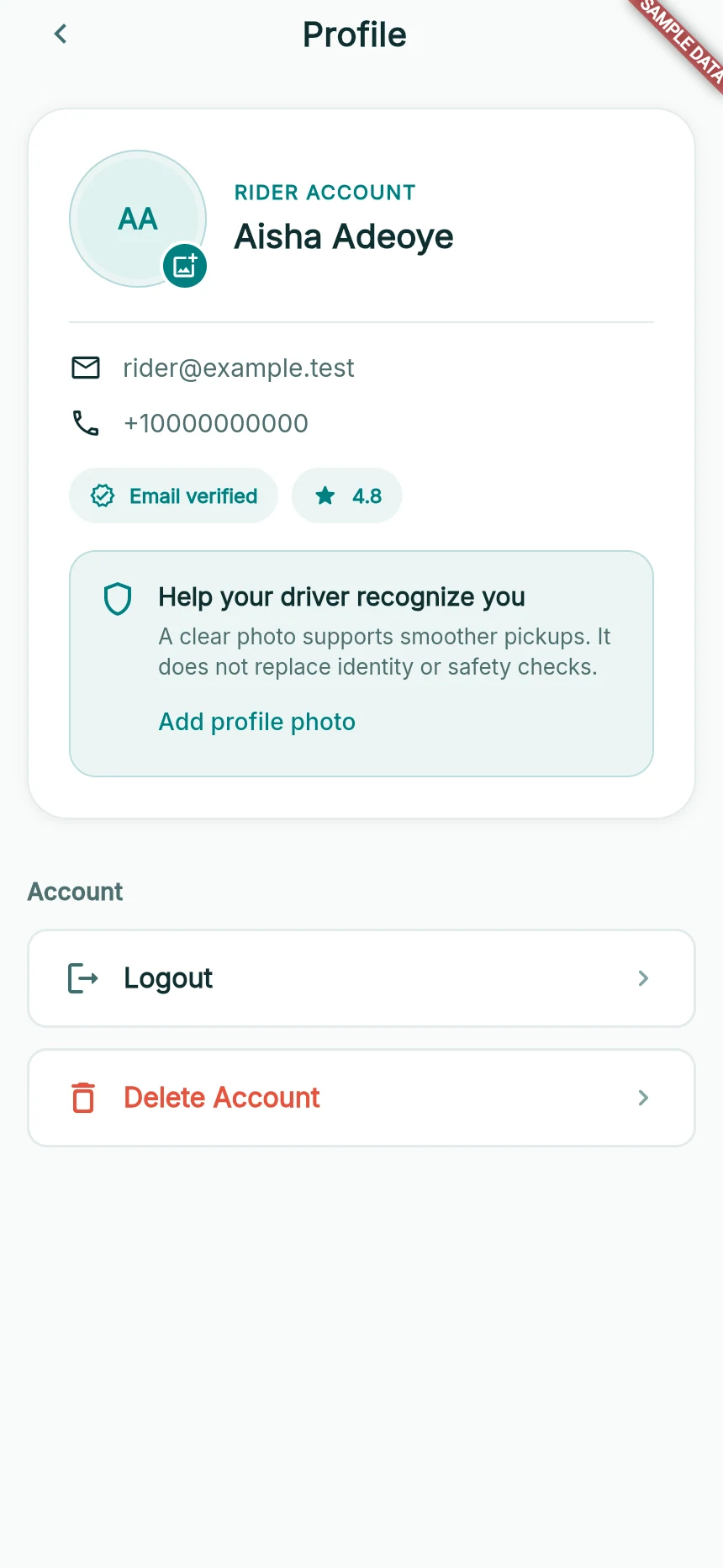
Profile controls in a synthetic rider account.
Web app · sample data · Captured 2026-09-25
- 1The photo control updates your picture.
- 2Logout ends the session; Delete Account requests account deletion.
Change your profile photo
Tap the photo control and choose a supported image. The current profile upload accepts images smaller than 5 MB. Browser users use a file/gallery choice; the installed mobile app may also offer a camera option.
Switch your role from the menu
Use the rider/driver role action shown by the app. An unapproved driver is directed towards verification; switching roles does not bypass it. Your account identity remains the same.
Sign out intentionally
Choose Logout when you want to end this device’s session. Make sure any active journey, upload or payment has been resolved first. You will need the same registered phone number to sign back in.
How you know it worked
Your profile is recognisable and you understand which role and verification state the app is using.
A useful next step
If something goes wrong
My picture does not change
Wait for the upload result. If it fails, use a supported smaller image and retry. A selected file is not proof of a completed upload.
I need to change identity details
Use the available verification section for driver details, or contact support if the profile offers no edit control. Do not register a duplicate identity.