Open History
Choose History from the menu. The current role determines whether you are viewing your rider journeys or driving sessions.
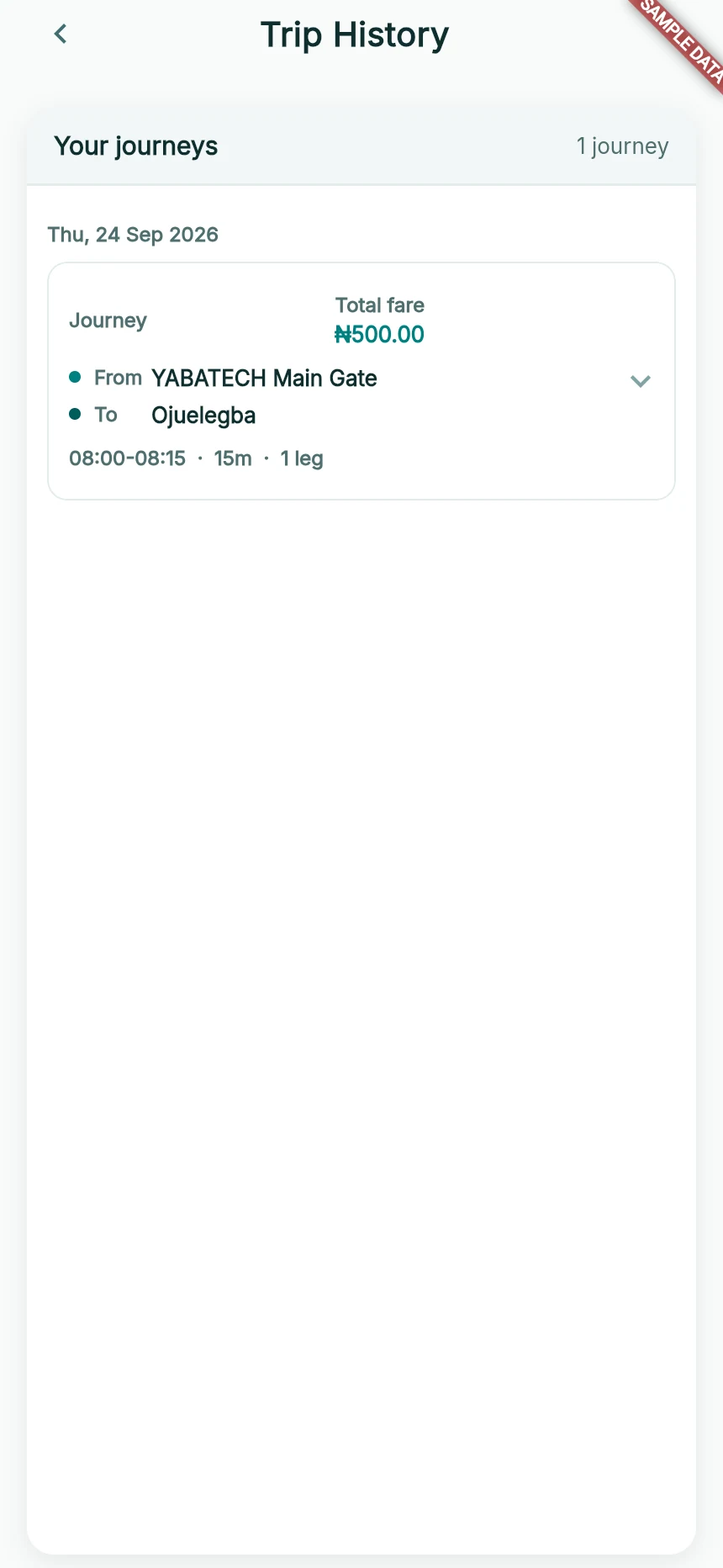
A past journey in the sample rider’s history.
Web app · sample data · Captured 2026-09-25
- 1Match the date and route to the journey you need.
- 2For money movement, also check Wallet’s Payment History.
Find the relevant entry
Entries are arranged by date. Use Load more for older journeys or driving sessions. Each expandable entry is one journey/session, not everything that happened that day. Only completed ride records appear in this history.
As a rider, expand your journey
Tap Journey or its arrow. A single-ride journey shows Ride details and Leg 1. A journey with multiple recorded legs shows Journey legs, ordered Leg 1, Leg 2 and so on. Each leg has its own pickup, drop-off, times and fare. Between legs is the time between recorded rides; the overall journey time includes that gap.
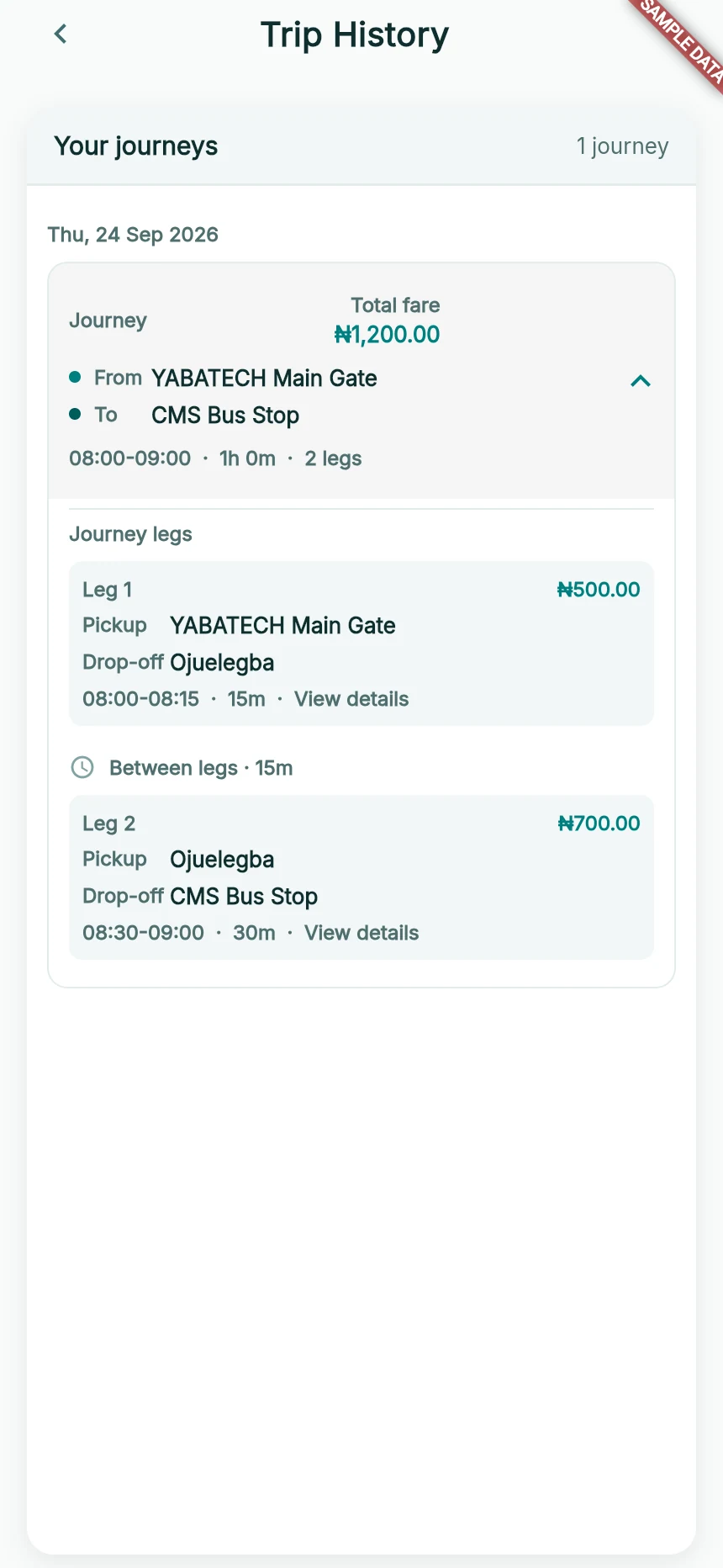
One rider journey, expanded into its recorded legs.
Web app · sample data · Captured 2026-09-25
- 1The journey header holds the full route, total fare and elapsed time.
- 2Each leg keeps its own route, fare and timings.
- 3The gap is shown between the recorded legs.
As a driver, expand your driving session
Tap Driving session to see Passenger rides. Each Ride 1, Ride 2 entry is a completed passenger ride from that session. Their times can overlap because different passengers can share your vehicle. The total is labelled Gross fares, before service fees—not net earnings.
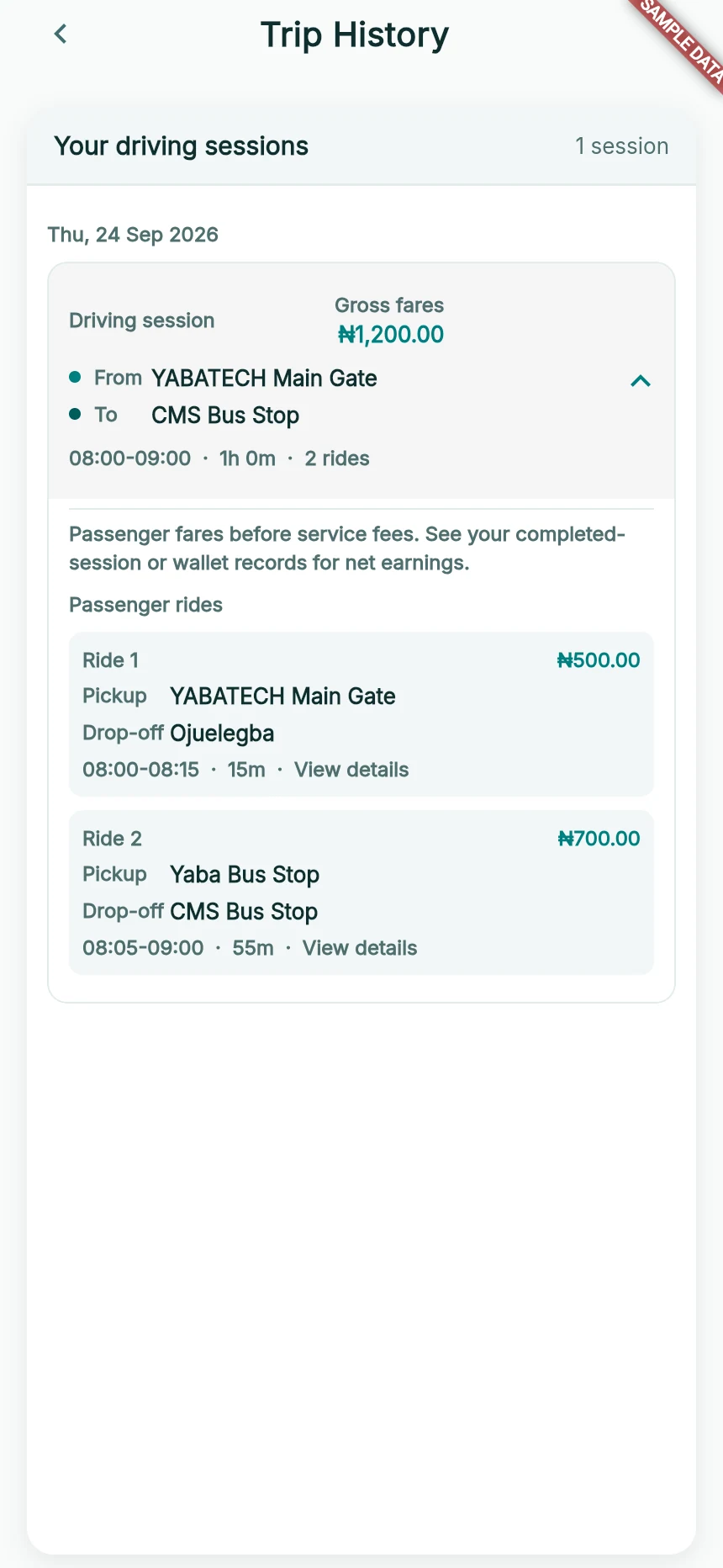
One driving session, expanded into its completed passenger rides.
Web app · sample data · Captured 2026-09-25
- 1Gross fares are passenger prices before service fees.
- 2Completed passenger rides belong to this driving session.
- 3Overlapping times are valid for shared passengers.
Open a leg or passenger ride
Tap a leg/ride to view its individual details and payment status or contact support about its reference. History does not yet receive all the names, photos and fee/net breakdowns available on the completion screen; it may explicitly say those identity details are unavailable.
Check money separately
For a debit, top-up, release or payout, also open Wallet’s Payment History. The trip record describes the journey; the financial record confirms what happened to the money.
How you know it worked
You can identify the correct past journey and provide useful details for a question or dispute.
A useful next step
If something goes wrong
Trip History Unavailable appears
Do not treat that as a confirmed empty history. Use Retry when offered. The app directs you to Wallet history for confirmed financial activity if journey records are unavailable.
A trip is missing
Check the role and whether the ride is completed. Separate requests are not automatically joined just because their times or locations are close. If a completed leg is missing, report its reference, approximate time, pickup and destination.