Read the journey board
The pickup count identifies riders awaiting pickup; agreed refers to fare agreements; Onboard identifies passengers already recorded in the vehicle. A party may occupy more than one seat, so passenger and request counts can differ.
Arrive at the correct point
Use the next-pickup guidance and confirm the rider’s identity and destination. If several riders share a stop, check each person individually rather than assuming one confirmation boards everyone.
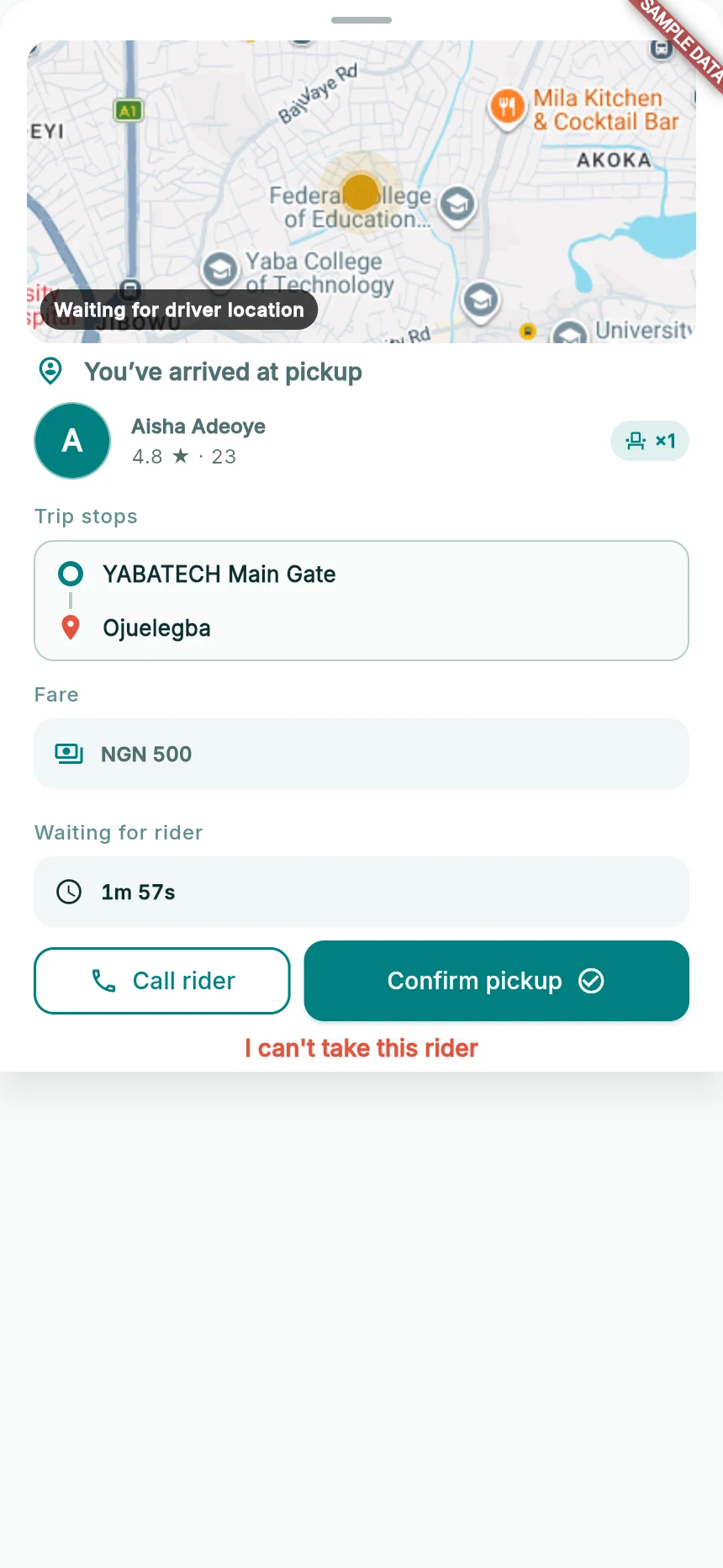
Confirm a real pickup after identifying the passenger.
Web app · sample data · Captured 2026-09-25
- 1Identify the passenger and check the requested seats.
- 2Read the wait countdown.
- 3Confirm pickup only for the passenger who is boarding.
Confirm actual boarding
When the passenger is there and ready to board, tap Confirm pickup once. Wait for acknowledgement and the onboard state. Do not use pickup confirmation to reserve a person who has not arrived.
Handle the wait window
Read the countdown in the pickup sheet. When the app offers a wait decision, choose Wait 1 more minute or Rider didn’t show as appropriate. A wait extension takes effect after acknowledgement, not simply after the tap.
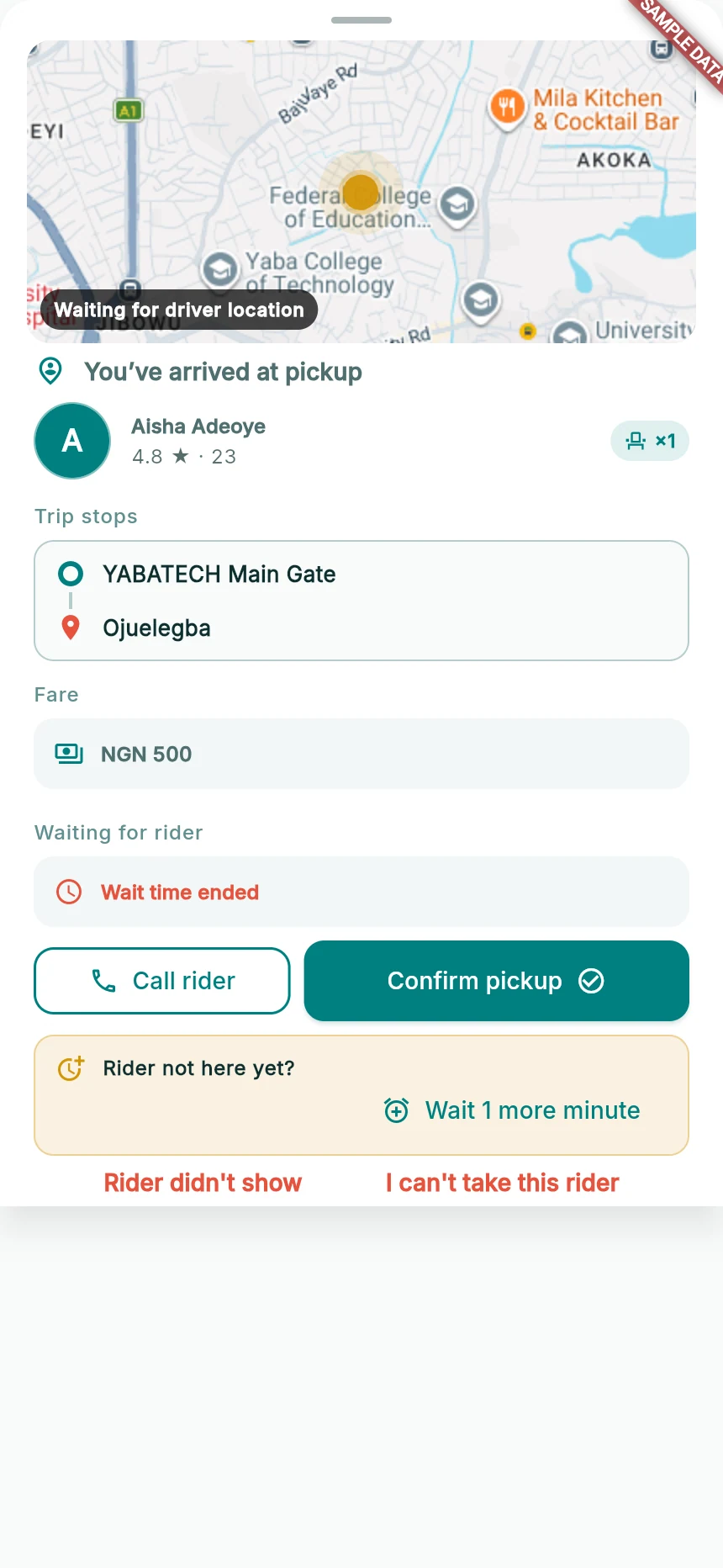
The wait-decision controls appear when the timer ends.
Web app · sample data · Captured 2026-09-25
- 1Confirm pickup remains available if the rider has arrived.
- 2Choose a wait extension or no-show decision deliberately.
Keep capacity truthful
Seats describes current online availability; Onboard describes occupied passenger seats. FULL can include capacity committed to pending pickups and does not necessarily mean every seat is already occupied. Follow the specific pickup status; never carry more people than the real passenger capacity.
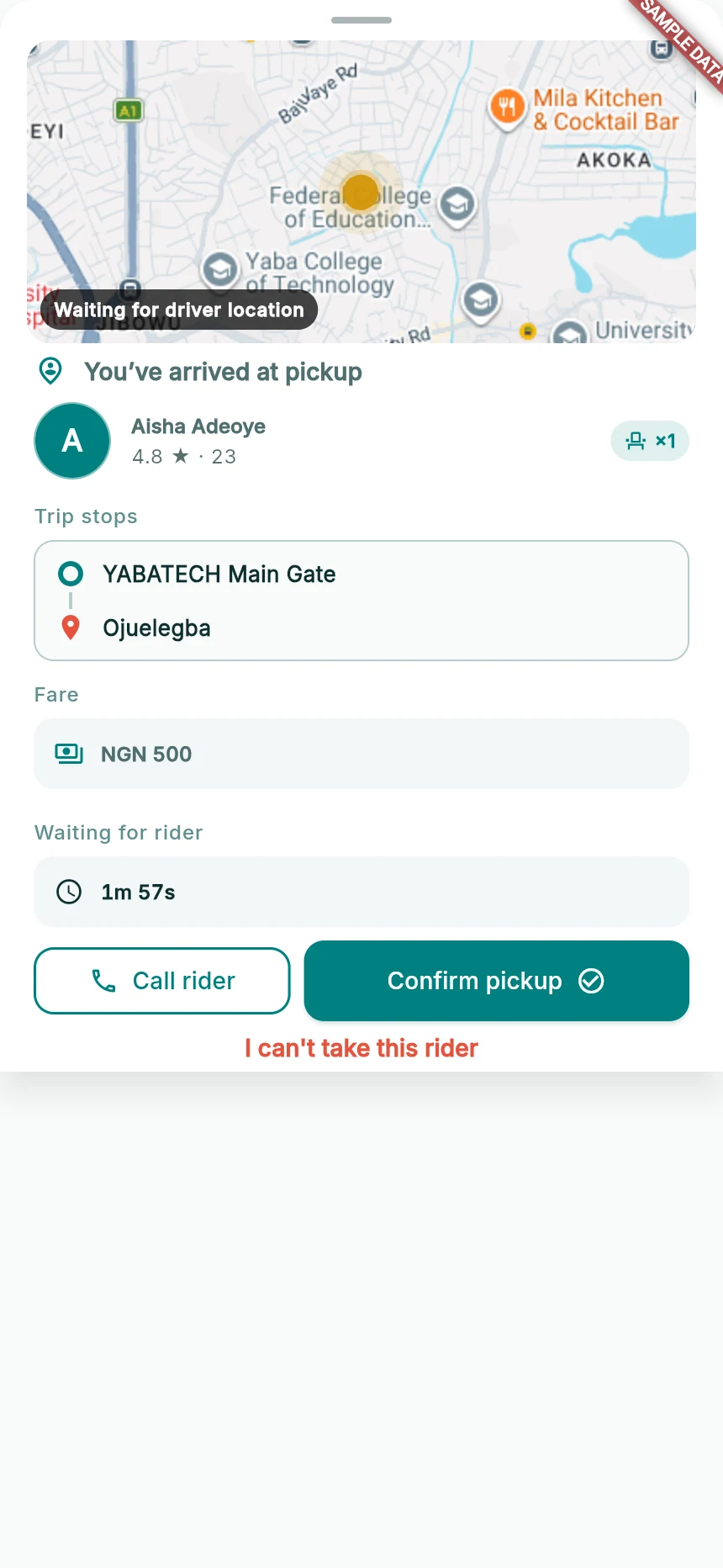
A selected pickup can remain confirmable when online capacity is zero.
Web app · sample data · Captured 2026-09-25
- 1This example is an existing selected pickup, not permission to exceed vehicle capacity.
- 2Do not increase physical capacity to work around a contradictory state.
How you know it worked
Each boarded rider moves to onboard state, remaining pickups stay clear and the seat count reflects the journey.
A useful next step
If something goes wrong
No seats left blocks a pickup I expected
Check whether the rider is an acknowledged reserved pickup and whether other passengers use the capacity. Do not increase the physical vehicle capacity as a workaround. Report a contradictory state.
Confirmation fails
Keep the rider/stop visible, restore connectivity and retry only when the action is available. Do not assume the app recorded the passenger.
A pickup is released
Read the updated roster. A released pickup is not an onboard passenger; the rider may have switched or the pickup may have ended.