Open the payment choice
During the request flow, read How would you like to pay?. Choose from the methods offered for that request.
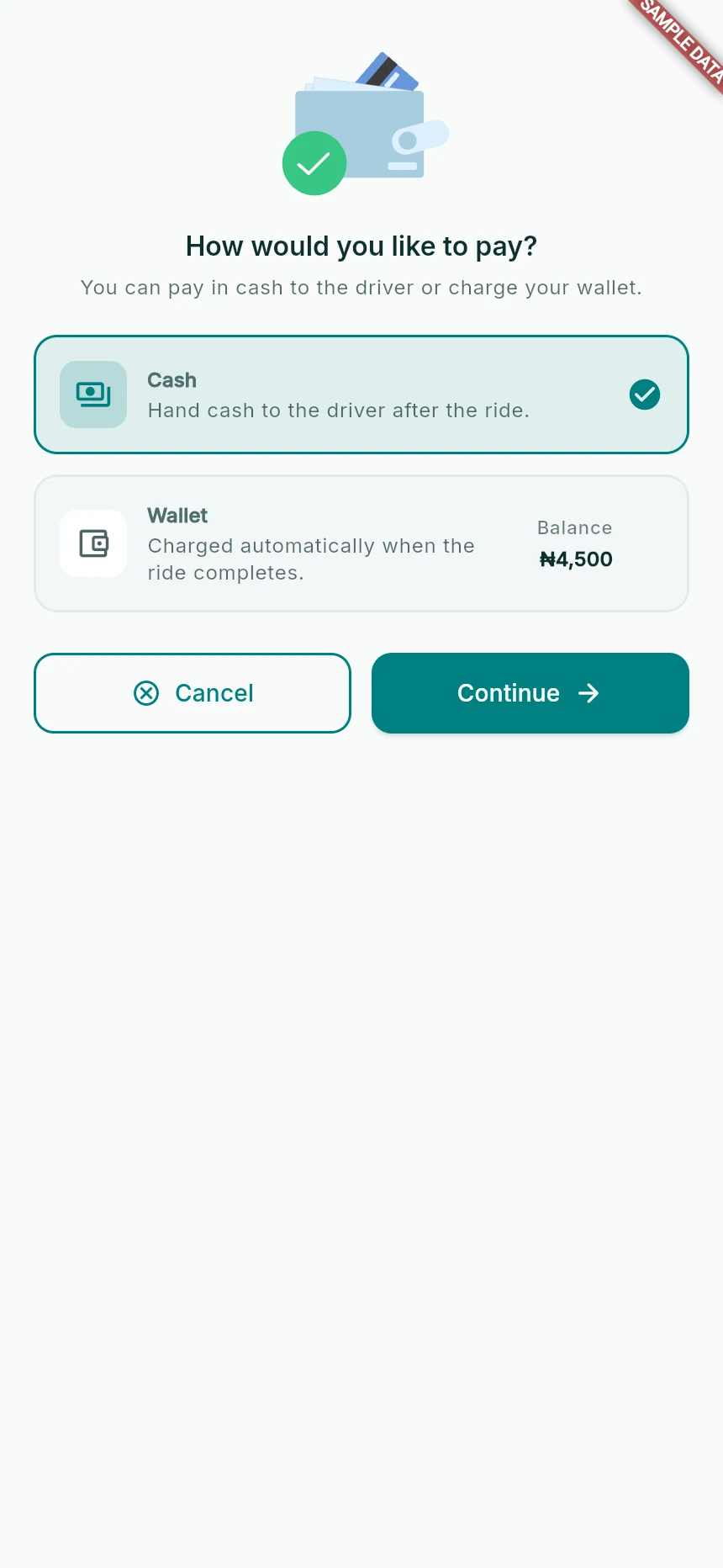
Decide how this ride will be paid.
Web app · sample data · Captured 2026-09-25
- 1Cash is paid to the driver after the ride.
- 2Wallet uses the app’s balance and settlement flow.
- 3Review the choice again before confirming the request.
Choose Cash deliberately
Cash means you pay the driver after the ride. Check that you can pay the agreed amount. A cash instruction does not mean the app has charged your wallet.
Choose Wallet deliberately
Wallet uses funds in your TagRides wallet. Check the available balance and required amount. Top up to use or a low-balance message means you need to fund the wallet or choose an available alternative.
Review the final choice
Tap Continue, then check Paying with on the confirmation. Use Change before submitting if it is wrong. At completion, read the receipt’s actual payment state before paying again.
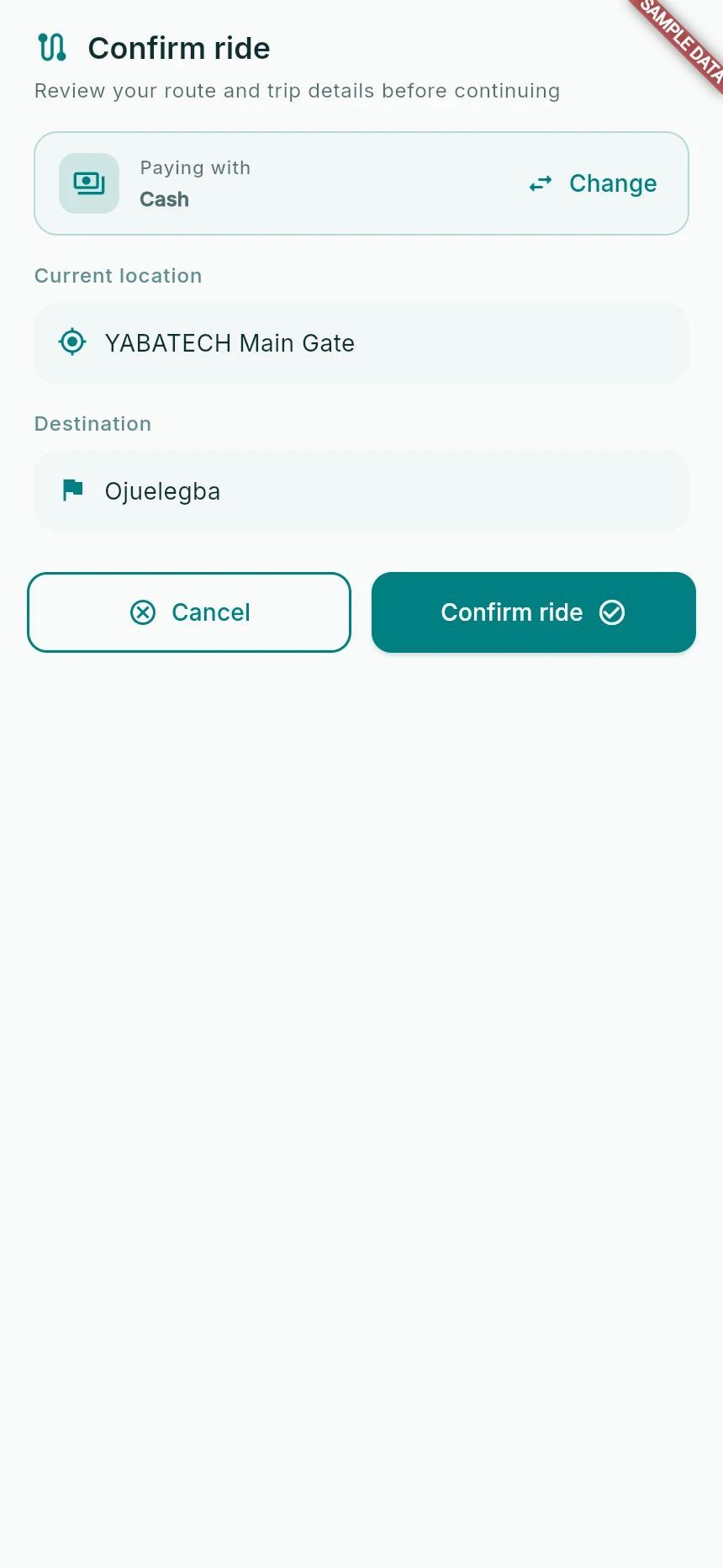
Review the route and payment choice before requesting.
Web app · sample data · Captured 2026-09-25
- 1Check pickup and destination separately.
- 2Use Change if the payment method is wrong.
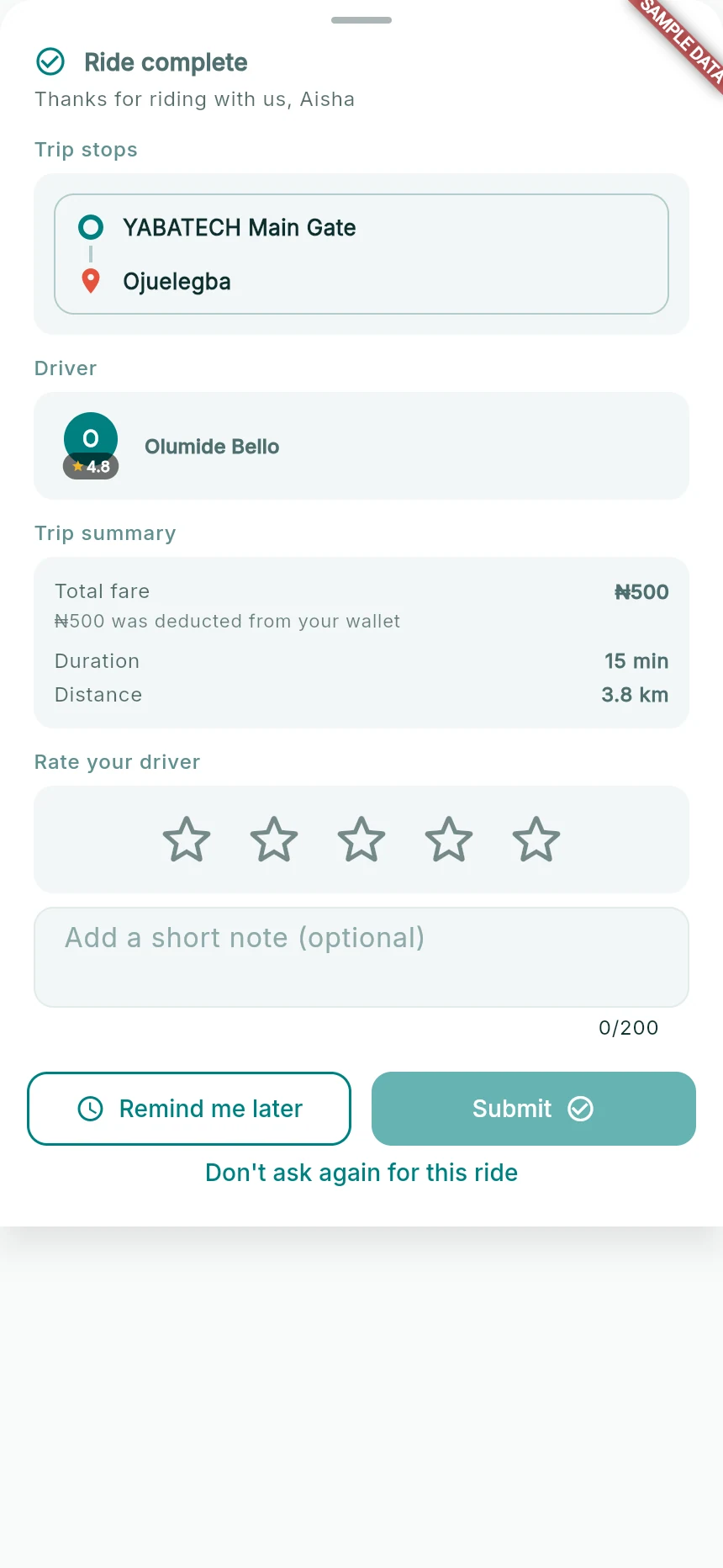
Completion, wallet settlement and optional feedback.
Web app · sample data · Captured 2026-09-25
- 1The payment note tells you whether the wallet deduction is confirmed.
- 2Rating and written feedback are optional.
- 3Remind me later differs from Don’t ask again for this ride.
How you know it worked
You know whether to hand cash to the driver or expect wallet settlement for the confirmed journey.
A useful next step
If something goes wrong
The balance says Unavailable
The wallet service could not supply a current balance. Restore connectivity and retry, or use cash if the app offers that option.
I paid cash but the app says wallet
Keep both the trip and payment evidence and contact support. Do not send a second payment just to make the screen disappear.