Before you begin
- Open Wallet in rider mode. The current driver wallet does not expose the same top-up page.
- Have access to your chosen payment method.
Open the funding page
Choose Wallet from the menu and open the top-up section. Enter a Top-up amount. The current form displays a minimum of ₦100; follow any current validation shown by the app.
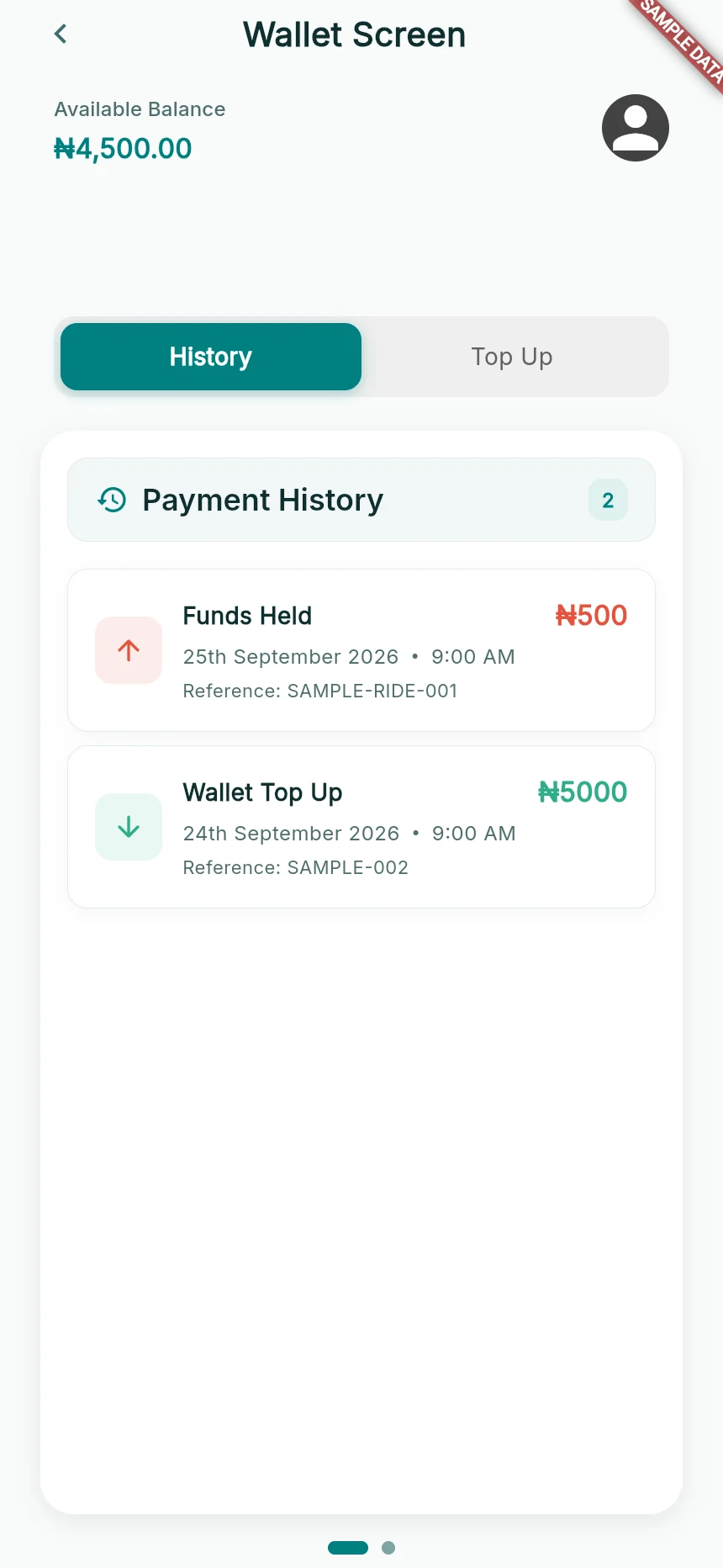
An available balance and two sample ledger entries.
Web app · sample data · Captured 2026-09-25
- 1Available balance is the amount currently usable.
- 2History and Top Up are separate sections.
- 3Entry type and reference explain the financial event.
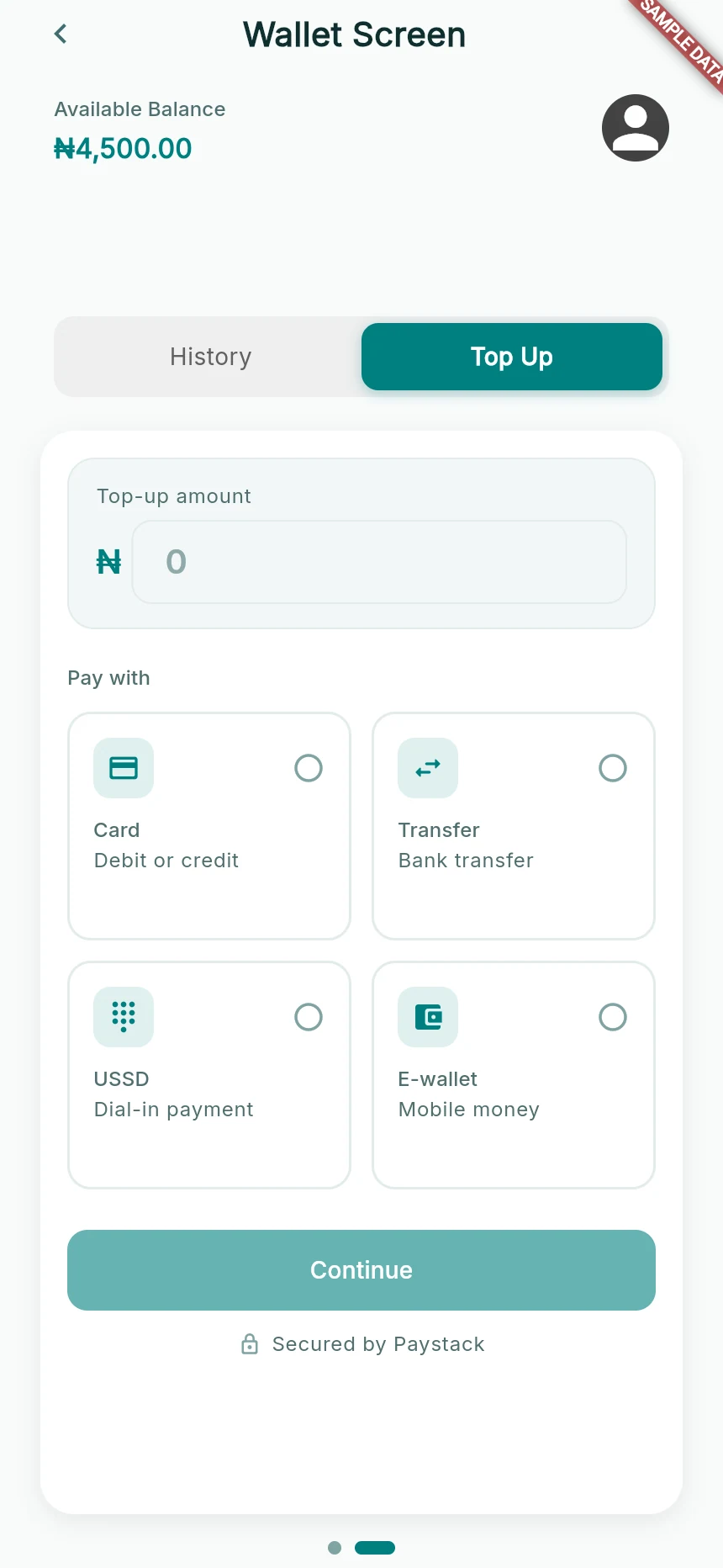
Choose the top-up amount and an available payment method.
Web app · sample data · Captured 2026-09-25
- 1Enter the amount you intend to add.
- 2Choose an available provider method.
- 3Continue opens the next checkout stage; it is not a payment receipt.
Choose the available method
The interface lists methods such as Card, Transfer, USSD and E-wallet. Choose the method available in your checkout; payment-provider availability can vary.
Continue to secure checkout
Tap Continue and wait for Preparing secure checkout…. Follow the payment provider’s instructions. Use only the account details/reference supplied for that transaction, not a number from an old screenshot.
Return for verification
After payment, allow the app to complete Verifying payment…. Look for the success message and the updated wallet/payment-history entry. A debit alert alone does not prove the app has credited the wallet.
How you know it worked
The wallet shows the confirmed top-up, or clearly records a pending, failed or cancelled result.
A useful next step
If something goes wrong
My bank was debited but the wallet is unchanged
Keep the amount, date and provider reference. Check Payment History and contact support if the provider confirms payment but the wallet remains unchanged. Do not immediately repeat the same transfer.
I cancelled checkout
Return to the app and check that the attempt is cancelled or unconfirmed. Start a new attempt only when you intend another payment.
I cannot see Top up
Check your current role. The driver wallet currently shows payment history and a payout-availability notice rather than the rider funding flow.