Check completed journey earnings
Read your completed passenger/session summary for gross fares, service fees and net earnings. Separate physical cash collected from wallet-settled amounts.
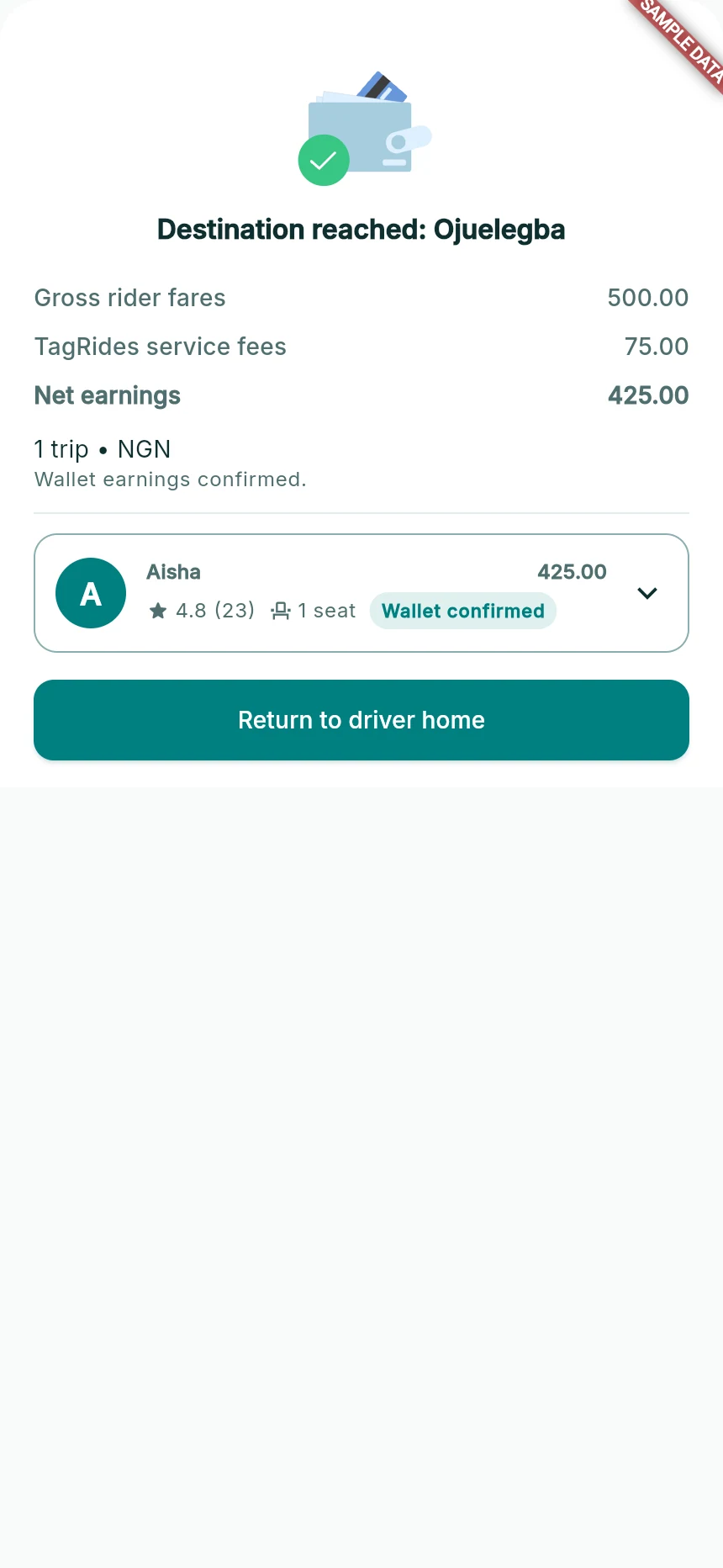
Reconcile the route’s gross fare, service fee and net earnings.
Web app · sample data · Captured 2026-09-25
- 1Gross, fee and net are different amounts.
- 2Read the settlement note and per-rider line.
- 3Return home after completion.
Open your driver wallet
Choose Wallet in driver mode. Read Payment History and the payout-availability notice. If a pending earnings balance is shown, it is not automatically an amount already sent to your bank.
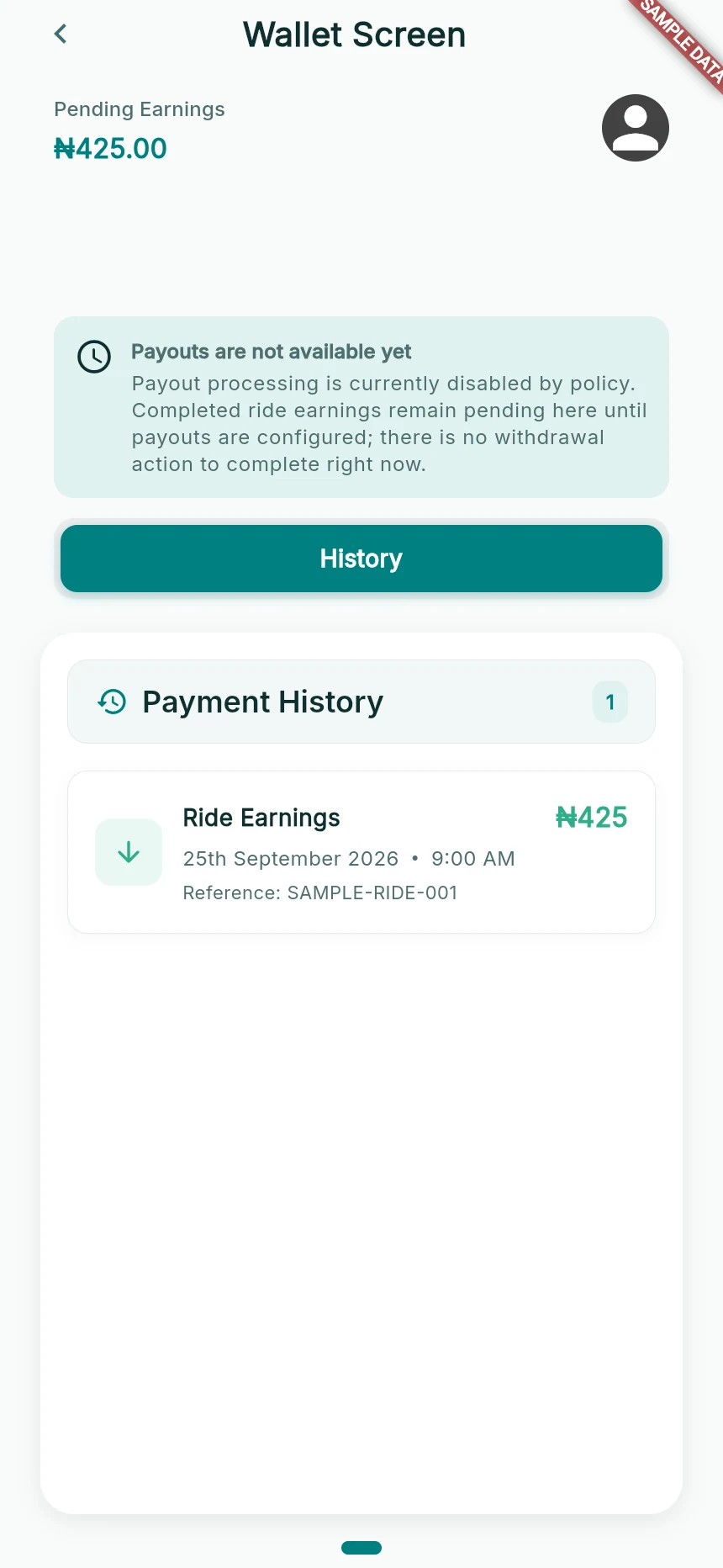
The current driver wallet explains payout unavailability.
Web app · sample data · Captured 2026-09-25
- 1Read the availability notice before looking for a withdrawal action.
- 2Ride earnings and a completed bank payout are different events.
Check the payment state
Use the financial records to identify whether an earning is pending, settled, reversed or otherwise awaiting processing. The presence of a bank account in verification does not activate a missing withdrawal action.
Ask about the eligible next step
If you need a payout update, contact support with the earning/trip references. Follow current account-specific guidance. Do not rely on an old withdrawal screenshot, a fixed processing promise or a minimum from another release.
How you know it worked
You understand the recorded earnings and whether a payout action is actually available in your current app.
A useful next step
If something goes wrong
I found withdrawal instructions elsewhere
Check that they apply to the version and account you are using. This guide reflects the currently mounted driver-wallet flow.
A payment is shown as paid out but the bank has not received it
Keep the payout reference and date and contact support for reconciliation. A screenshot of a pending balance is not a completed bank transfer.