Read the overall status
Under Review means the application is awaiting a decision. Verification needs another look asks for corrections. Updates in progress means edits are underway. Verified is a review result; the app still checks eligibility before enabling a trip.
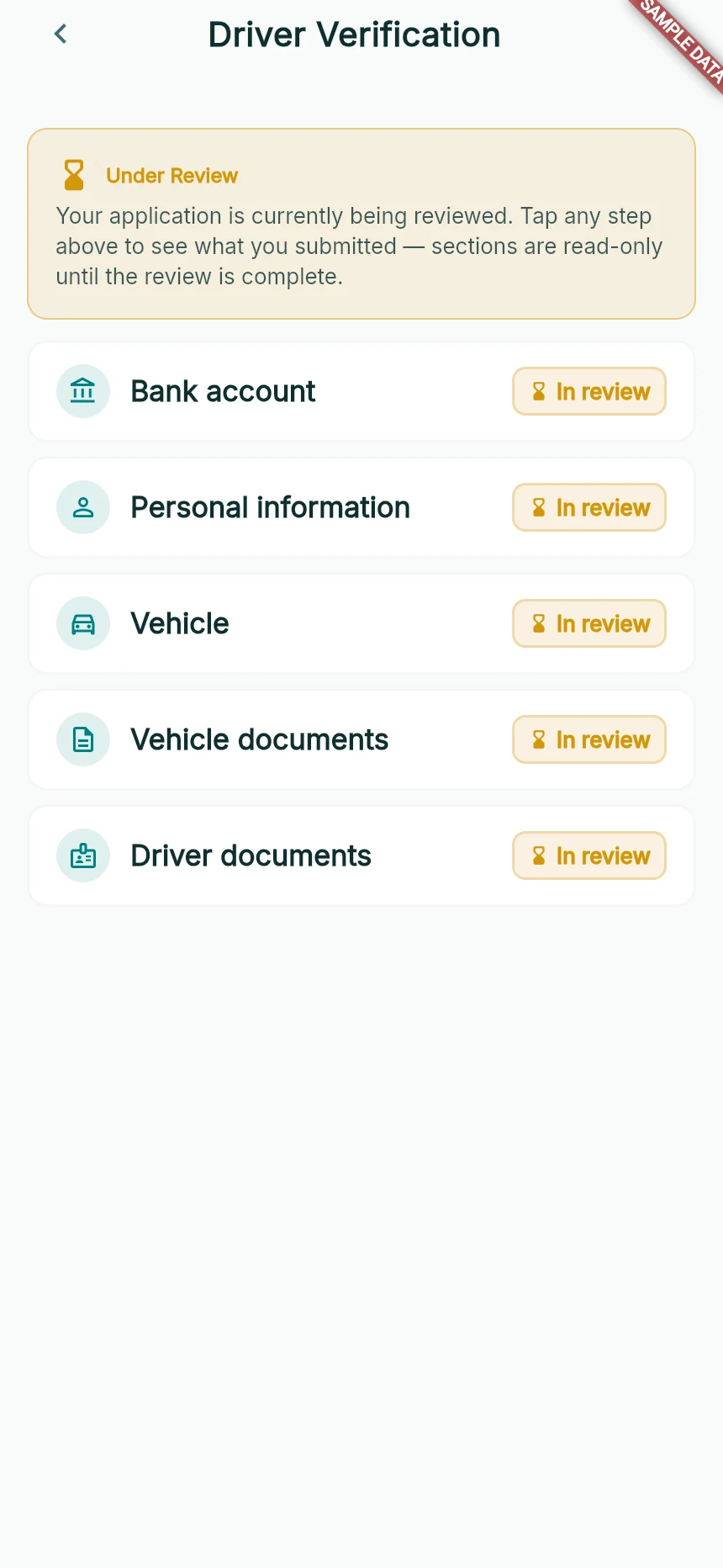
Submitted does not mean approved.
Web app · sample data · Captured 2026-09-25
- 1The overall state explains why driving is not yet available.
- 2These tiles let you inspect what was submitted.
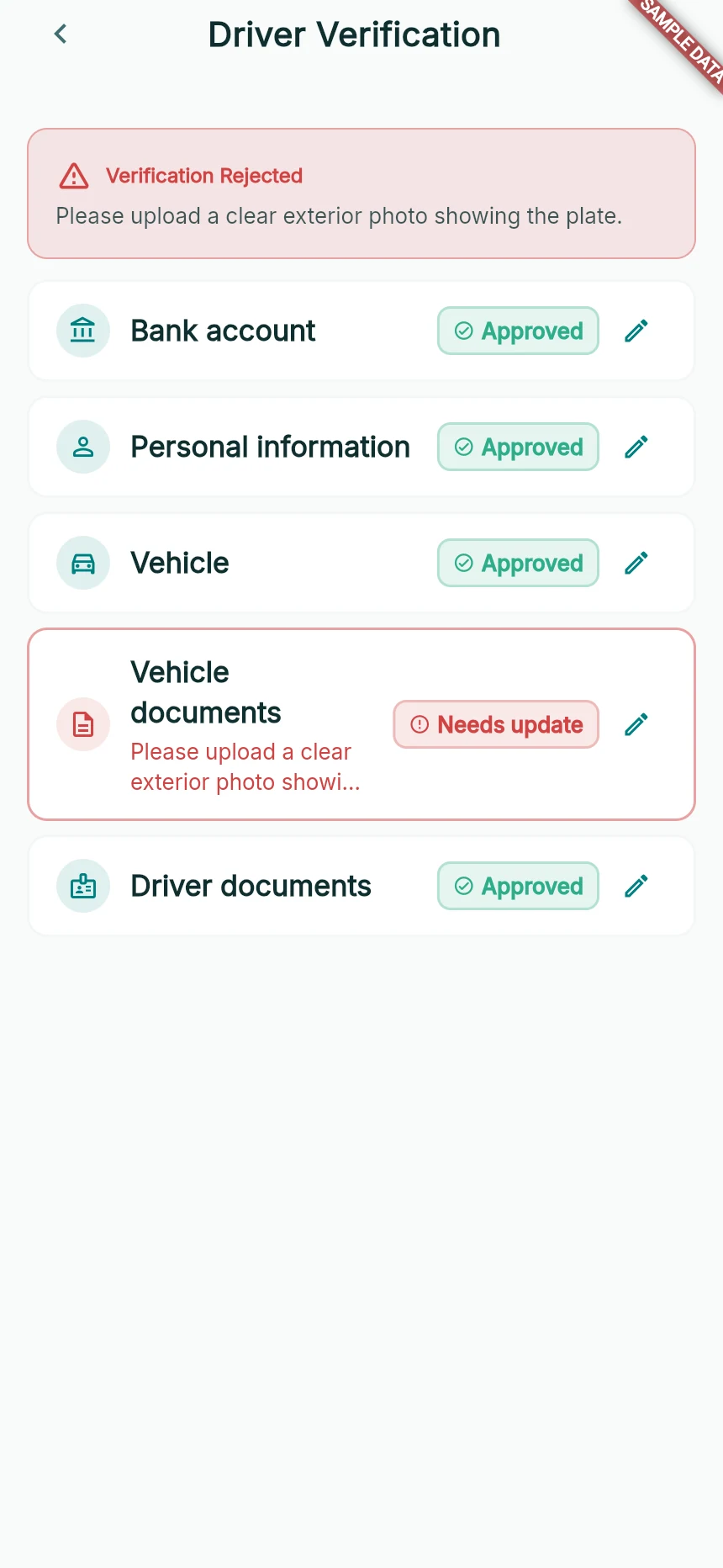
A targeted correction request in a sample application.
Web app · sample data · Captured 2026-09-25
- 1Read the specific correction reason.
- 2Open the affected section instead of starting a second application.
Open the section that needs attention
Tap Fix and resubmit, or open the verification summary. Look for Needs update and read its reason. Use Edit this section on the relevant Bank account, Personal information, Vehicle or document tile.
Read any re-verification warning
If the app asks Edit this section?, understand that changes may send the application back for review and prevent driving until approved again. Choose Edit anyway only when you intend to make the correction.
Correct and submit
Update the actual field/file, then Submit Section. Review the summary and complete any final submission requested by the app. Wait for acknowledgement and check that the revised application is pending review again.
How you know it worked
Your corrected information is submitted, with a clear new status rather than an unresolved draft.
A useful next step
If something goes wrong
I cannot load my verification status
Use Try again or Retry verification check after checking the connection. A failed status lookup does not mean your previous application disappeared.
One tile says Approved but I cannot drive
Individual section approval is not whole-application eligibility. Check all sections and the overall home status; contact support if they disagree.